Offsets are not possible with CSS Grid.
Do a quick Google search and you'll find many sites with work-arounds. One of the most promising is by having a div wrapper and "push" the contents to end up with a pseudo offset.
The most prevalent comment is "why use offsets?" suggesting, of course, that they are not needed. The comments suggest to "properly" build the layout.
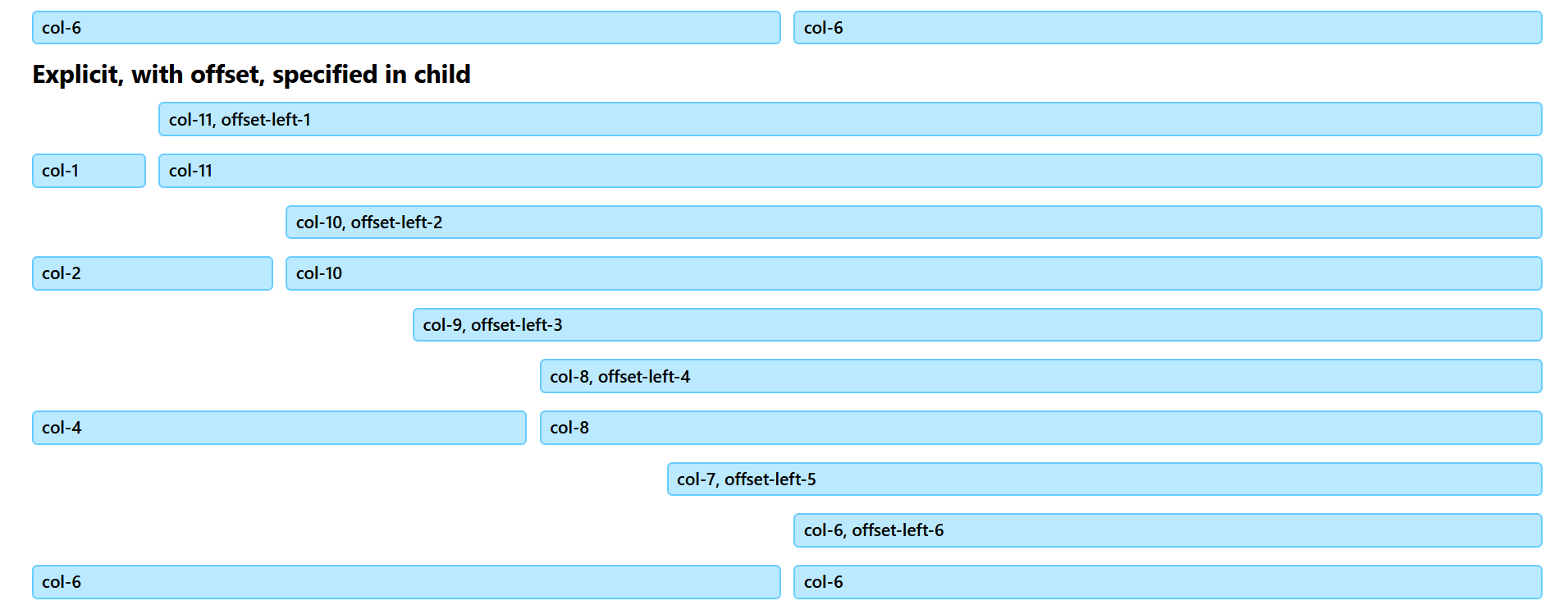
I've solved it. With one single, and simple, line of code.
At the best of times, offsets are difficult to implement. The biggest problem is handling the gap. Since the offset doesn't exist as a column, CSS Grid shouldn't be able to handle it. Yet here we are with the problem solved. I've tried it with various gaps, no problems. Here's what the HTML looks like:
<div class="row mt-1">
  <div class="col-11 offset-left-1">col-11, offset-left-1</div>
</div>
<div class="row mb-0 mt-1">
  <div class="col-1">col-1</div>
  <div class="col-11">col-11</div>
</div>
That's the first two rows shown in the image at the right. The first row is the offset. No need for any work arounds, it's a straight forward solution using standard CSS Grid code. Keep tuned – at the moment, I still have no plans to release CSS Blade.