I talked about this in a previous article ... writing your own CSS framework is not the greatest idea. It's always better to find something "close" to what you want and modify that. There are a ton of CSS frameworks floating around in every possible category you can think of.
I ended up deciding to build my own. I know, I know ...
I wanted a new approach. One that focused more on html elements and less on classes. I wanted a core that started with classless and then built up from there based on need.
A reboot of my CSS Framework. v2, so to speak.
My goal was to get in at less than half the size of the first one I wrote. The target was to come in under 50Kb. Well, I did it. I have CSS Blade that starts with a classless core and can add borders, buttons, columns, forms (with or without icons), helpers, spacing, a horizontal navigation bar and a basic footer – and it comes in at 49Kb. There are two optional modules that add a megamenu to the horizontal navigation bar and a contact form to the footer ... and still comes in at only 53Kb.
I needed a few extra page components: a card system came in at 4Kb, a hero section came in at 3Kb, and three javascript modules (back-to-top, burger menu) came in at 3Kb.
The entire CSS Blade with all options comes in at 64Kb ... raw and commented (unminified).
I have removed as many classes as possible, re-writing the CSS to support semantic and classless HTML.
Here's some sample HTML code:
    <div class="card box-shadow mb-3">
      <header>
        <h3>Card header</h3>
      </header>
      <main>
        <div class="image">
          <figure>
            <img
              src="component_card-and-box/assets/img/photo-1542291026-7eec264c27ff.jpg"
              alt="Placeholder image"
            />
            <figcaption>This is the caption</figcaption>
          </figure>
        </div>


        <div class="byline">
          <figure>
            <img
              src="component_card-and-box/assets/img/portrait.jpg"
              alt="Placeholder image"
            />
            <figcaption>
              <h5>John Smith
                <span>@johnsmith</span>
              </h5>
            </figcaption>
          </figure>
        </div>

        <article>
          Lorem ipsum dolor sit amet, consectetur adipiscing elit. Phasellus nec
          iaculis mauris. <a>@cssbladev2</a>. <a href="#">#css</a>
          <a href="#">#responsive</a>
          <br />
          <time datetime="2018-1-1">11:09 PM - 1 Jan 2018</time>
        </article>
      </main>

      <footer>
        <div>
          <a href="#" class="card-footer-item">Save</a>
        </div>
        <div>
          <a href="#" class="card-footer-item">Edit</a>
        </div>
        <div>
          <a href="#" class="card-footer-item">Delete</a>
        </div>
      </footer>

    </div>
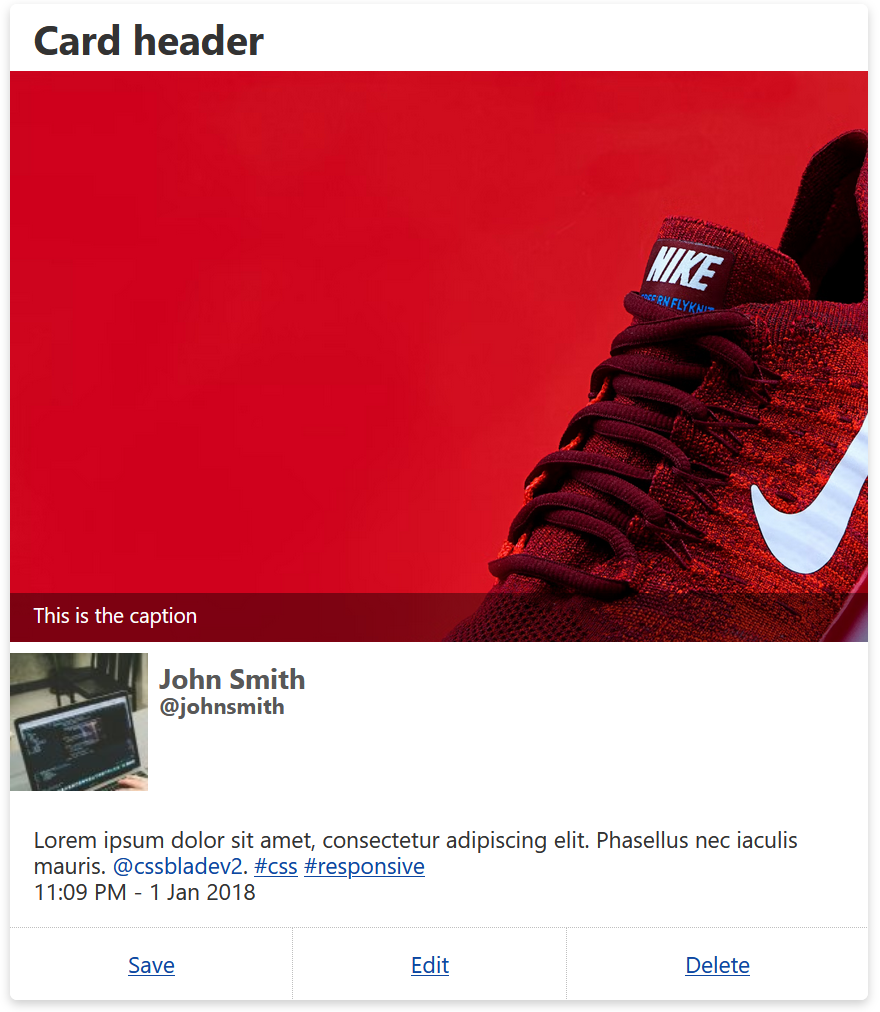
And how it looks with CSS Blade:
 I prefer the writing and the look of the HTML code. It's a lot more natural, more intuitive, and less confusing than it would appear with class names. It does mean more planning of the CSS coding order and using the new CSS nesting capabilities.