You don't have to search too far to understand the importance of the H1 tag. It's fundamental to good SEO.
Power Digital Marketing says "The H1 tag is the most important main heading on a page because it's the highest heading level tag that shows what your page or blog post is about. As a result, search engines like Google give this tag more weight over other headings like H2s, so it helps improve your ranking when you use it correctly."
Yet, CSS defaults have no special coding for this important tag. Here's just one example of what I mean:
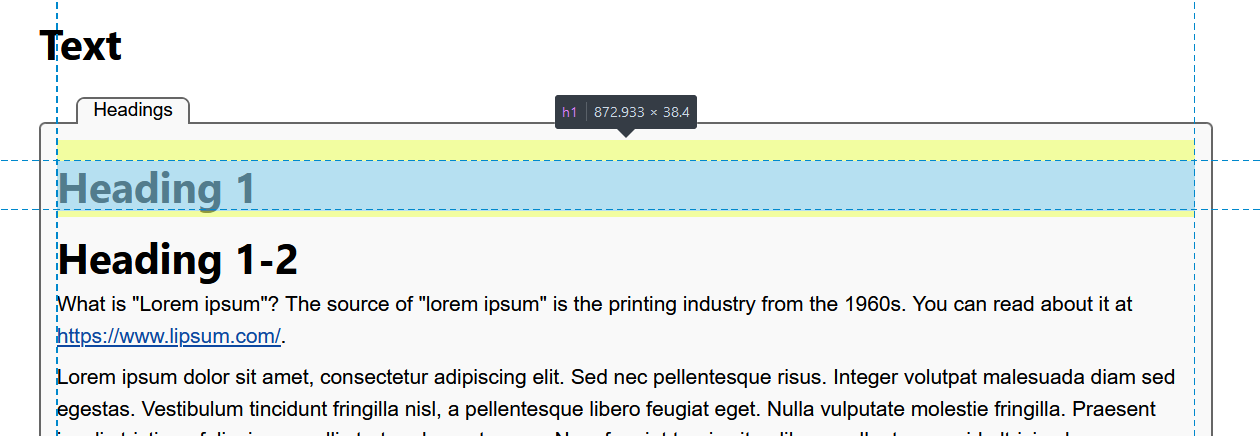
 At the left is a screen shot in dev mode showing the margin-top default of the H1 tag. Click to see full size view.
At the right is a screen shot, also in dev mode, showing the margin-top adjusted to properly reflect the position on the page. This is a conditional, meaning it only affects the first H1 tag. All others will reflect the default margin-top. Also note the line Heading 1-2 ... that has default margin-top adjusted as well, since two H1 tags in sequence should not have any additional space between them.
The H1 to H6 tags are far too important to leave to individual style sheets. Just look at CSS Remedy for confirmation of that. CSS Remedy only "normalizes" the size and spacing of H1-H6 – to the accepted defaults of a majority of browsers. My "remedy" is opinionated, but based on a life time of being a "compositor" starting in the days of hot metal type (letterpress printing), through to being a manufacturer of high density laser printers and one of the founders of the Electronic Publishing Association.
I also tackle the need to have a Title / Subtitle relationship possibility where Subtitle can also be Author / Date / Time – as typically used in blogs and news articles. Mine are classless. An example would be:
<h1>Article title
  <span>By Your Name</span>
</h1>
... in this case, h1 would be bold in sans-serif and the span within would be slightly smaller, italic style, and serif font – creating a beautiful byline (byline is journalism-speak for the line that credits the write, usually just below the headline).
Finally in my opinionated world of headlines, I also tackle the CSS that allows a succession of headlines, such as those used in a sequence to indicate the main title, subtitle, and a description. That could be h1, followed by h3, followed by h5 and then followed by an article.
How do you handle H1 to H6? Just accept the browser defaults or have some strategy of your own? See the conundrum?